People
Every author, assignee and mention your items name is folded into a people directory, so one colleague — a Slack id, a GitHub login and an email at once — can be a single person, and a name learned on one source answers on all of them.
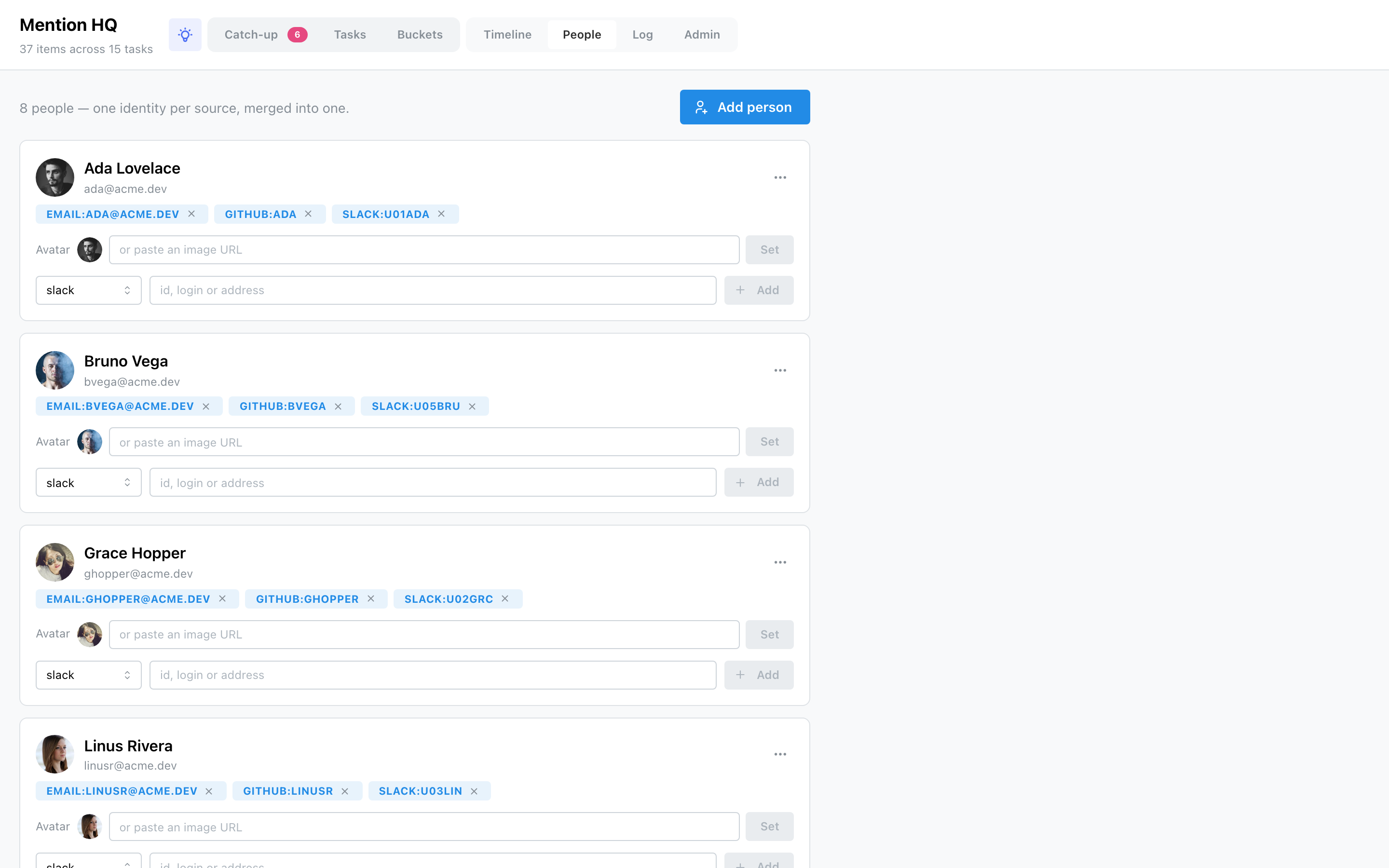
How people appear
People are discovered on sync: each source emits the handles it sees, and HQ records one person per handle, carrying whatever name and avatar the source provided. So a first sync often creates separate entries for the same human — one from their Slack id, one from their GitHub login. HQ does not guess that two entries are the same person, because two people can share a name. Combining them is a deliberate action you take.
Merging is manual
Each person's ⋯ menu → Merge into… opens a picker; choosing a target moves this person's handles onto it and deletes this entry. That's the only way two directory entries combine — there is no automatic merge. Once merged, the handles live under one person, so future syncs keep them together.
Avatars
The shown avatar is the one you chose, falling back to the first source-provided image. On a person's card you can:
- click an avatar swatch — one per distinct image a source carried for them — to pick it;
- paste an image URL and press Set for a custom avatar;
- Clear a custom avatar to fall back to a source image or initials.
Source-provided avatars are filled in automatically as they're discovered, but an avatar you've set is never overwritten.
Add, edit, delete & handles
- Add person — a name and optional email, by hand.
- Edit (⋯ → Edit) — change the display name and email.
- Delete (⋯ → Delete) — removes the person and all their handles; their items are untouched.
- Handles — each identity shows as a
kind:valuebadge with an × to remove it, and an add-a-handle row (kind: slack / github / linear / dust / email, plus the id, login or address). A handle is unique across the directory — it can only belong to one person.