Timeline
The Timeline is the flat, chronological feed of every item HQ has — filed or not, triaged or not — newest first.
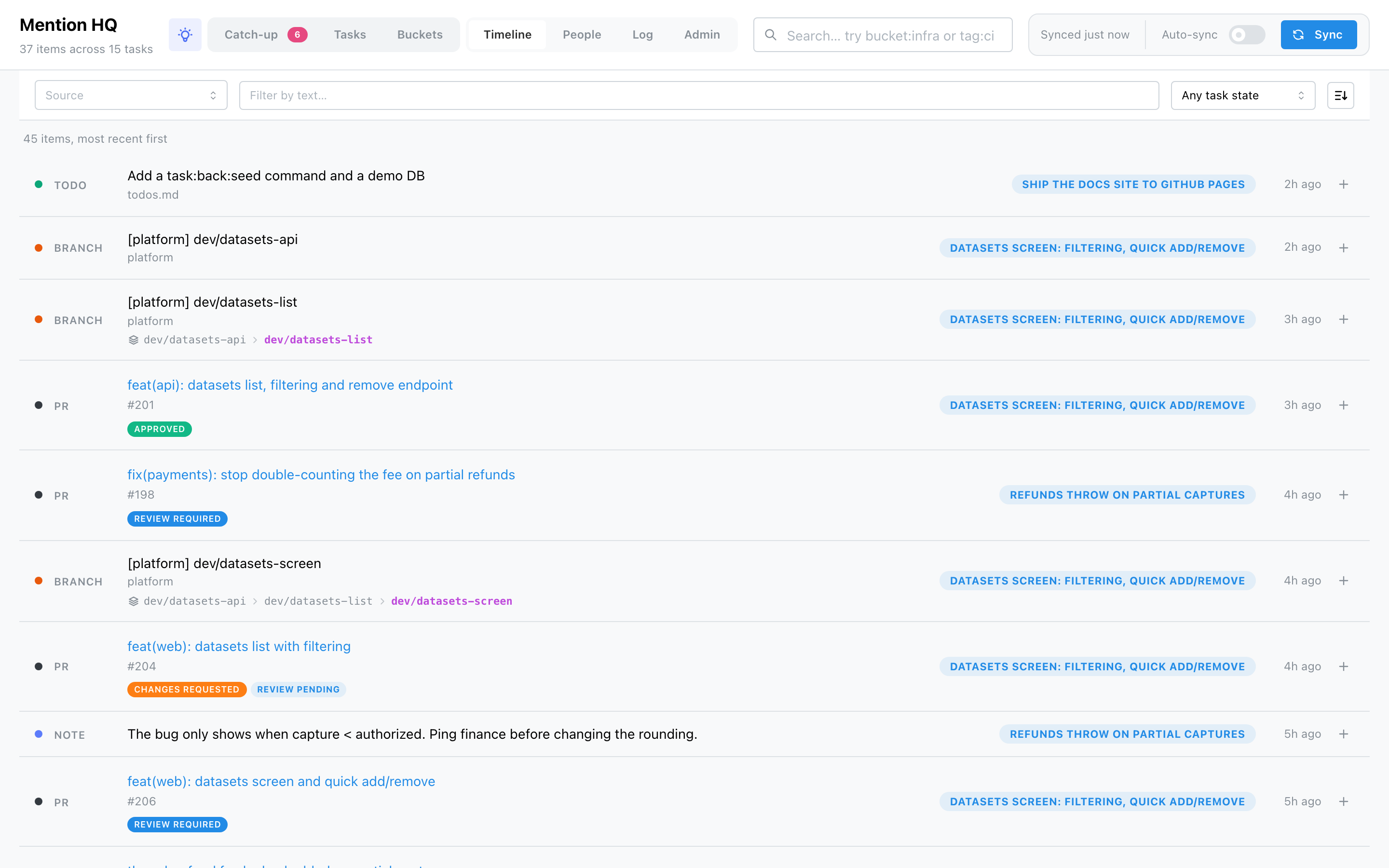
A sticky filter bar narrows it:
- Source — a multi-select built from the sources actually present.
- Filter by text — matches an item's label and context.
- Task state — Any, On a task, or To triage.
- Sort order — newest-first ⇄ oldest-first.
Each row shows the item with its source, and on the right either the task badges it's filed under (click one to open that task) or a grey To triage / Skipped marker. The ⋯ menu on a row lets you Attach it to a task (or create a new one from it) and Delete the item — deletion removes it from HQ and any task it's on, leaving the source untouched (useful for clearing out what a since-removed source left behind).